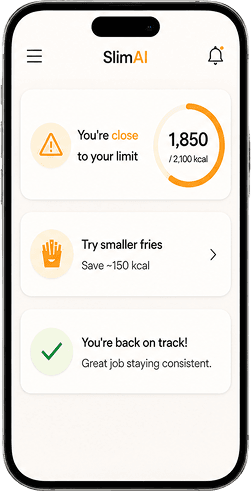



 featureAdaptive Plan
SlimAI Adapts to You: Change One Thing, and the Whole Plan Follows
Update your weight, your goal, your target date, your activity level, or your cuisine — and SlimAI recalculates your daily calorie target, your macro grams, your per-meal budgets, your diet plan, and what your coach tells you to do next. You see the new number before you save it.
A calorie target is a snapshot of the body that produced it. Lose 6 kg, take a desk job, move your goal date, start training four times a week — and the number you were handed on day one is describing someone who no longer exists. Most trackers never revisit it. They keep counting you down toward a target that stopped being yours weeks ago.
SlimAI treats your plan as something that has to keep up. Every fact behind your target stays editable, every edit recomputes the plan, and every downstream surface — dashboard, macro rings, diet plan, coach, stats, home-screen widgets — reads the new number the moment it saves. Nothing lives in two places, and nothing quietly keeps using the old one.
Last updated

3-day free trial · Cancel anytime · No card charged during trial
The Number You Got on Day One Expires
This is the failure mode nobody markets, because it only shows up in month three. You set up the app at 92 kg, it gives you 2,100 kcal, and you start losing. By 84 kg your body burns measurably less at rest and moves less mass around all day — but the app is still counting you down to 2,100, and the deficit that used to be real has quietly shrunk to almost nothing. The tracker did not break. It just never asked whether the answer was still true.
The same thing happens from the other direction. You switch from a warehouse job to a desk. You go from three runs a week to none because of an injury. You decide 16 weeks was too aggressive and you would rather take 24. Every one of those changes the arithmetic, and none of them changes a fixed target.
SlimAI is built so that the profile behind your plan is not an onboarding artefact you fill in once and never see again. It is the live input to a calculation that reruns whenever you touch it.
You See the New Target Before You Commit to It
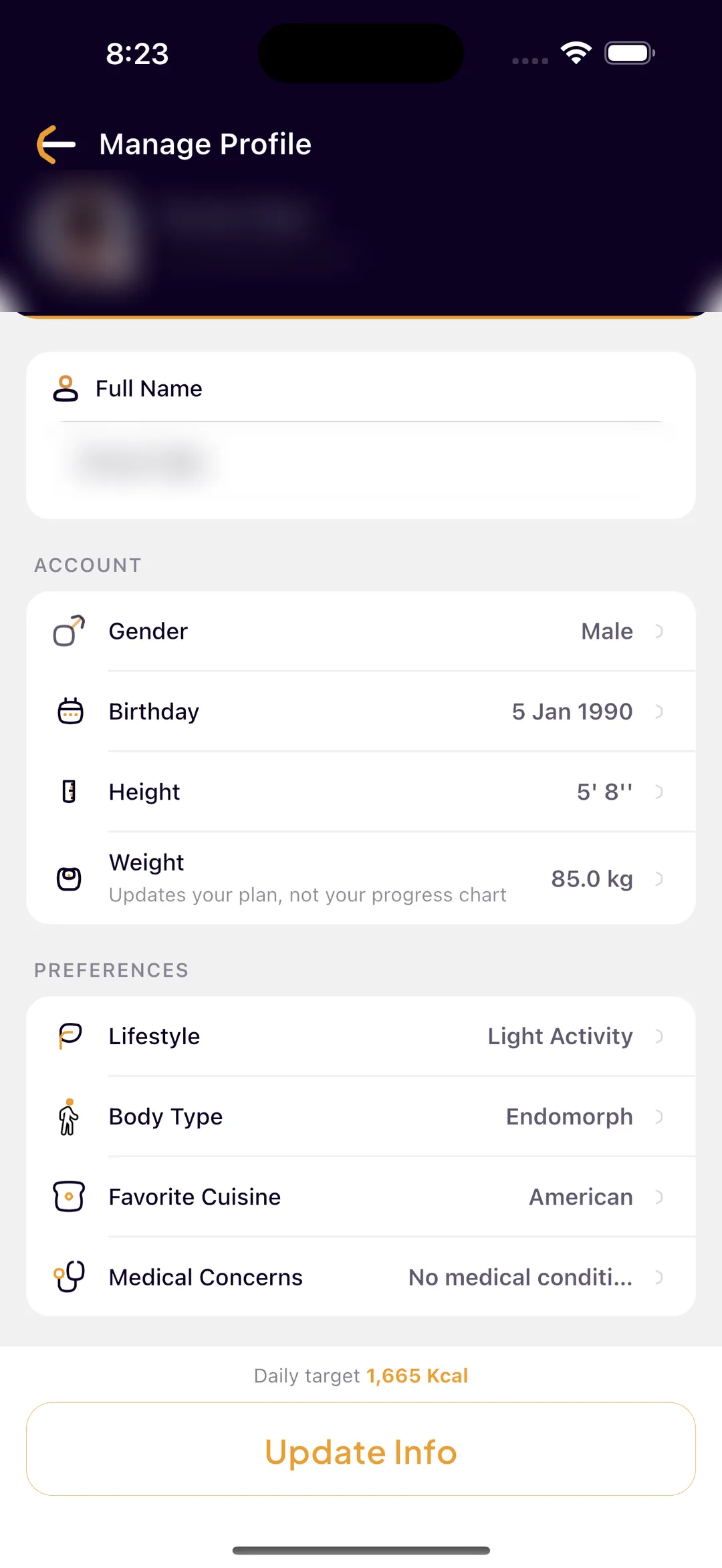
Most apps that recalculate do it behind a save button, and you find out what happened afterwards. SlimAI recomputes the whole plan on every field change while you are still editing, and shows you the daily calorie target your current edits would produce — before anything is written.
Move your goal weight, change your pace, switch your activity level from Moderate to Sedentary, and the projected target updates under your hands. If the change makes no difference to the math, the screen says so rather than implying it did. Save is only enabled when something genuinely differs from what is stored, and leaving with unsaved edits asks before it discards them.
When you do save, the confirmation names the actual outcome — "Plan updated — new goal 1,540 kcal" when the number moved, and a plain saved message when it did not. An app that celebrates a change it did not make teaches you to stop reading its confirmations.
Live preview, not a surprise
The projected daily target is recomputed on every keystroke and every picker change, so the consequence of an edit is visible before it becomes your plan.
A dirty check, not a blanket rewrite
SlimAI compares your edits against the stored profile field by field. Opening the screen and closing it changes nothing, and no write happens without a real difference.
The confirmation tells the truth
The new calorie goal appears in the success message only when the calculation actually produced a different number.
Discard is protected
Backing out with unsaved changes prompts first. A half-finished edit to your calorie plan is the wrong thing to lose to a stray back gesture.
Ready to try Adaptive Plan?
Free on iOS and Android. Your targets stay editable forever.
3-day free trial · Cancel anytime · No card charged during trial
What Actually Changes When Your Plan Changes
A recalculation is only worth anything if it reaches every surface that quotes the number. In SlimAI one save updates all of them, in one pass, before you are back on the home screen.
Your daily calorie target
Recomputed from your current weight, height, age, gender, activity level, goal, and the pace you picked — the same calculation that produced your first target, run again on today's facts.
Your protein, fat, and carbohydrate grams
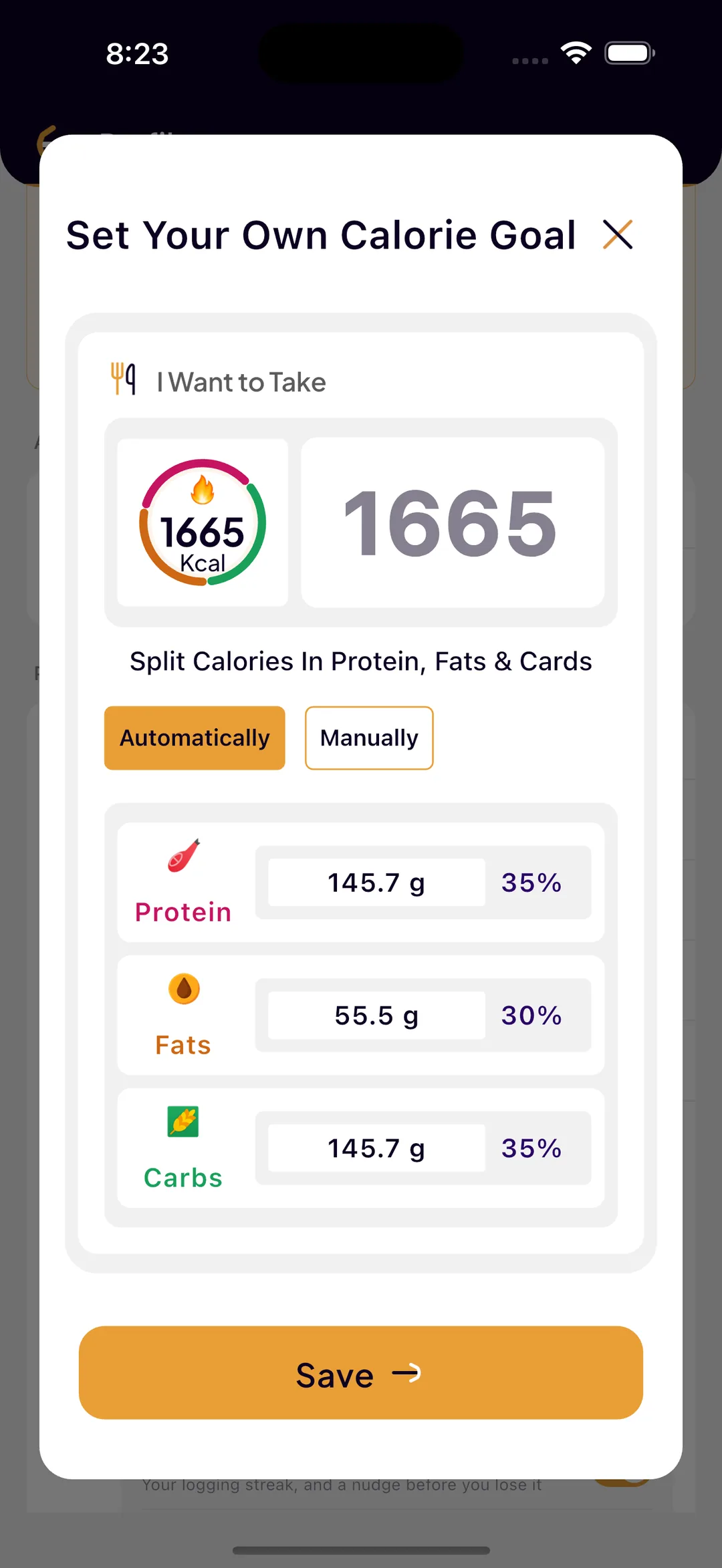
The macro split is recomputed alongside the total, not left pointing at the old one. A target that moves without its macros moving is two numbers that disagree.
A manual macro split is kept as a ratio
If you set your own split, SlimAI does not throw it away and does not leave it stale. It reads your split as percentages, then re-applies those exact percentages to the new calorie total — so a 40/30/30 stays 40/30/30 at the new number.
Your per-meal calorie ranges
Breakfast, lunch, dinner, and snack budgets are derived from the daily target, so they move with it. The recommended range on every meal card matches the plan you are actually on.
Your BMI and body category
Both are recalculated from the same inputs at the same moment, so the context shown next to your target is never describing a previous version of you.
Your diet plan
The cached meal selection is cleared and refetched against the new per-meal budget. See the next section — this is the part most apps skip.
Your stats, coach, and weekly score
The stats screen reloads its user data and weight history immediately, so adherence, the week score, and every chart are measured against the target you are on now.
Your home-screen widgets
A changed calorie target or water goal pushes a fresh snapshot to the widget layer, so the ring on your home screen is not still dividing by yesterday's number.
Log a Weigh-In, and the Plan Follows
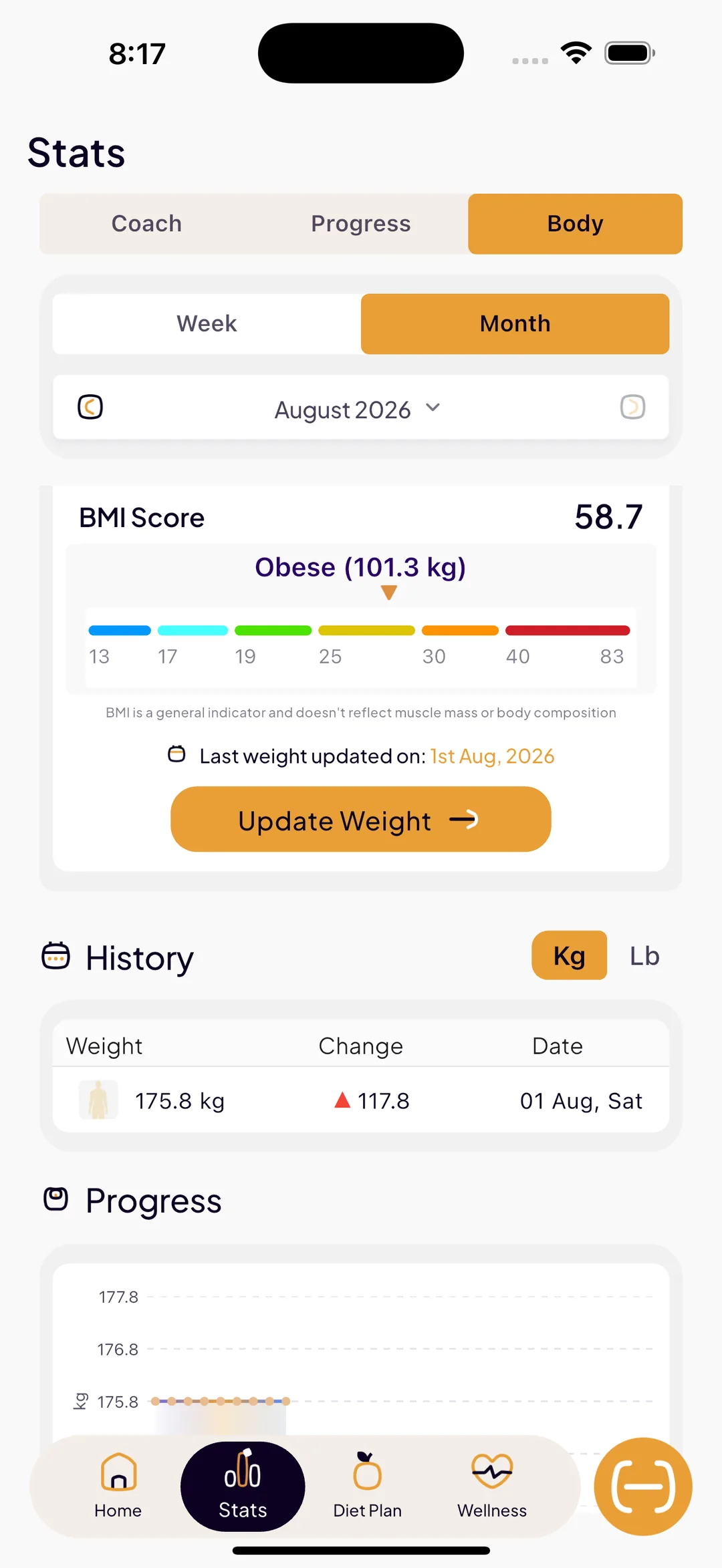
You should not have to visit a settings screen to keep your plan honest. Logging your weight is the one thing every user already does, so SlimAI hangs the recalculation off it directly: save a weigh-in that is your most recent one, and the same full recompute runs — target, macros, per-meal budgets, BMI, diet plan, coach.
You get the same confirmation you get from the profile screen. When the new weight moves your target, the message carries the new goal; when it does not, it just confirms the weigh-in. Over a long cut, that is a plan that steps down with you instead of drifting away from you.
Back-dated entries are treated differently on purpose. If you fill in a weight for last Tuesday, SlimAI writes it into your history — where the trend line, the charts, and the coach's trajectory will all use it — but it does not rewrite today's calorie target from a reading you have already moved past. Your current plan should reflect your current weight, not the most recently typed one.
The latest weigh-in drives the plan
Only a log that is your newest reading recomputes your targets. Everything older is history, and history is for the trend, not the target.
History is never overwritten
Weigh-ins are stored per day, so a correction updates that day rather than appending a duplicate, and progress photos attached to a day survive an edit.
The trend still smooths
Your calorie plan responds to your current weight; your coach's trajectory responds to the smoothed 14-day trend. Day-to-day water weight moves one and not the other, which is the correct behaviour for both.
Your Diet Plan Is Rebuilt, Not Relabelled
This is where "adaptive" usually turns out to be a word rather than a behaviour. Plenty of apps will update a calorie number and then keep serving the identical meal list, so a user who dropped 250 kcal off their target is still being recommended the dinner that no longer fits it.
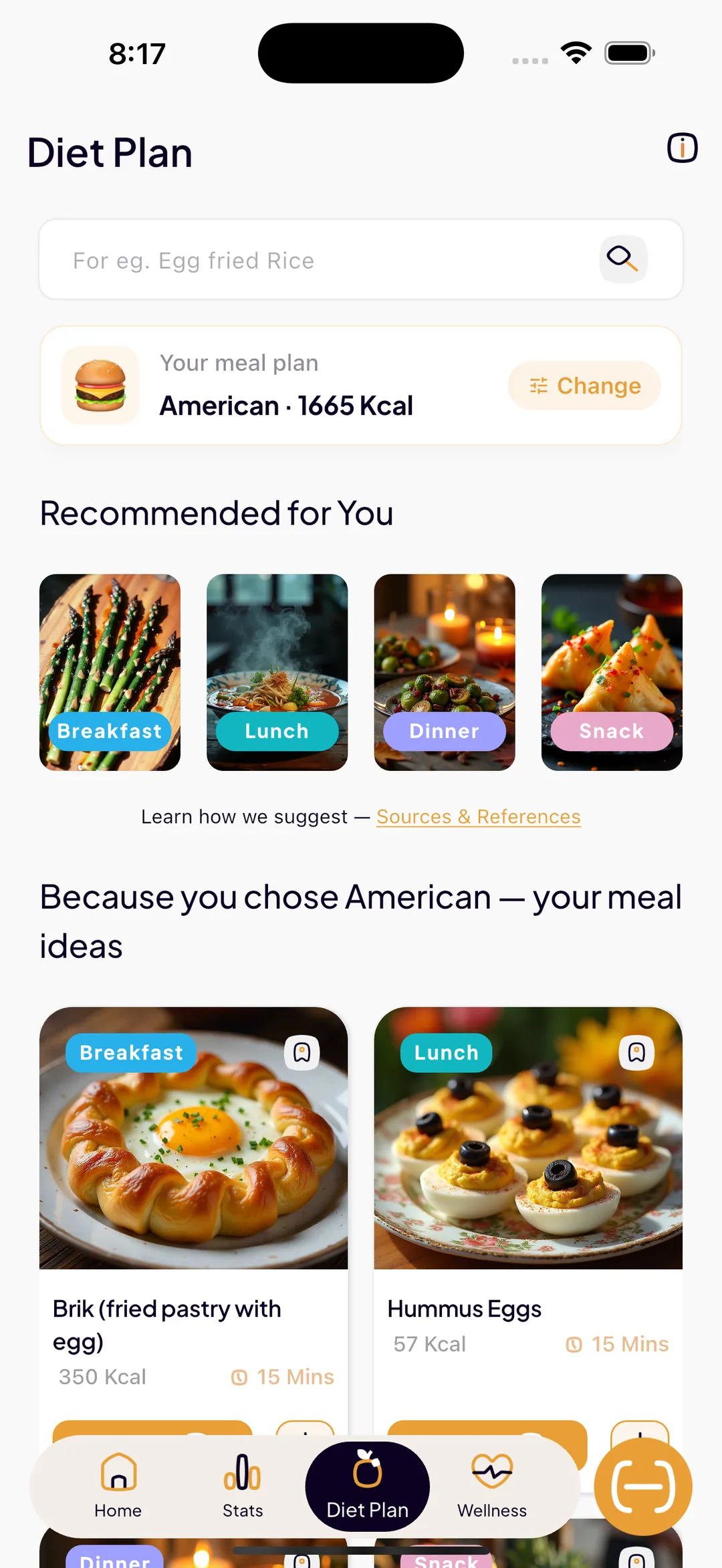
SlimAI clears the cached meal selection on save and refetches. Meals are queried against the calorie budget for that meal type, so a lower target produces a genuinely lighter list and a higher one opens meals that were previously filtered out. The plan you see the next time you open the tab was built for the target you are on.
Cuisine works the same way and is now changeable from the plan itself. The header on the diet plan tab shows your cuisine and your daily target together, with a Change control that re-picks the cuisine and refetches on the spot — you do not have to go hunting through settings, and re-picking the cuisine you already have returns immediately rather than pointlessly refetching an identical list.
One honest limit: your preferred diet — keto, vegan, and the rest — does not filter this screen's query. It feeds the swap engine that proposes lighter alternatives. SlimAI deliberately does not put that control on the plan header, because offering a lever there that changed nothing visible would be worse than not offering it.
The Coach Reads the New Target Immediately — and Names the Next Step
Adapting the plan is half the job. The other half is telling you what it means, and SlimAI's entire coaching layer is built around ending in an action rather than a number.
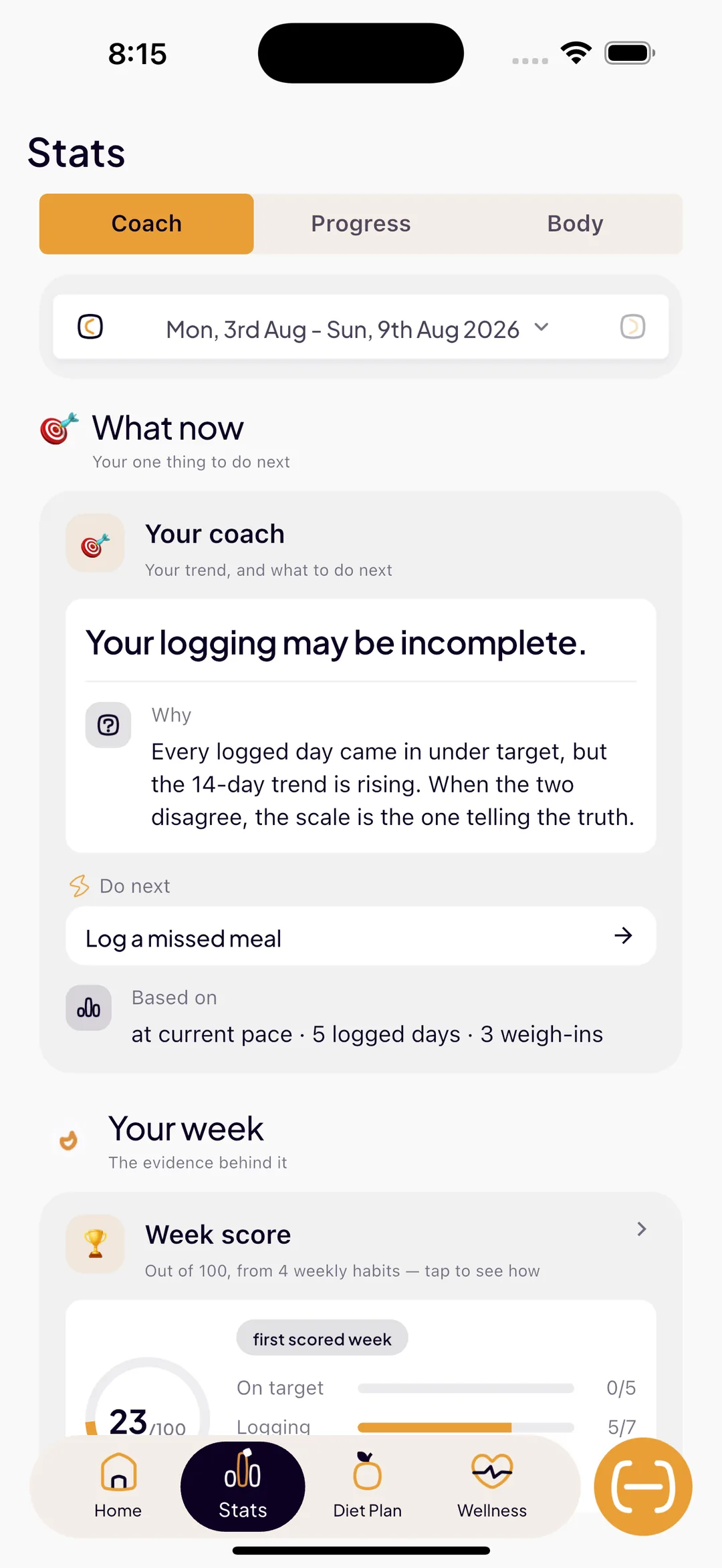
Because the stats screen reloads on save, adherence, the 0–100 week score, macros against target, and every chart start measuring against the new goal at once — there is no window where your dashboard shows one target and your weekly score is still grading you against another.
From there the coach does what a fixed tracker cannot: it reads the week you logged and answers where your weight is heading, what drove it, and the single next thing worth doing. Every insight ends in a button that opens the right screen with the context already applied — the diet plan filtered to the meal that overshot, the scanner with the meal type set, the water tab, the swap that fixes your protein. Your achievements ladder does the same thing on the Progress tab: it shows the badge you are closest to and exactly what is left to earn it.
So "what do I do next" is answered in three places that cannot disagree with each other, because they are all reading the same recalculated plan: the coach card on your home screen, the Coach tab in stats, and the Monday written report.
When You Change Nothing and It Stops Working Anyway
Everything above is triggered by you. There is a second kind of adaptation that has to be triggered by the data: the plateau, where you changed nothing, logged well, and the scale stopped moving anyway.
SlimAI handles that separately and conservatively. It requires two conditions together — a smoothed weight trend effectively flat for at least 14 days, and good logging adherence across that period — before it will call anything a plateau at all. A flat trend with patchy logging is a data problem, not a metabolic one, and it routes you to consistency help instead of touching your calories.
When a real plateau is detected you are offered exactly two paths: one small step down in calories, or 2,000 more steps a day. Neither is applied until you confirm it, and an accepted change can be undone inline. That is the full story on Adaptive Calorie Goals — it has its own page, and it is the only part of SlimAI that ever proposes a change you did not ask for.
What SlimAI Deliberately Does Not Do
Calorie targets are one of the few things a health app can get wrong quickly and expensively. These are the limits, stated plainly rather than buried.
Nothing changes your target without you
Every recalculation is downstream of an edit you made or a weigh-in you saved. The one place SlimAI suggests a change on its own — plateau detection — proposes and waits, and never applies.
Your own numbers always win
Custom calorie and macro goals override the calculated plan entirely, and stay yours. Setting your own target is a permanent override, not a temporary one that the next recalculation quietly reverts.
No invented metabolic rate
SlimAI does not measure or store your true metabolic rate, so it does not pretend to. Targets come from published estimation formulas applied to the facts you gave it, and adjustments are bounded steps rather than a precise-looking number derived from data nobody has.
Medical details make it more conservative, not more aggressive
Flagging a condition — including pregnancy or breastfeeding — moves SlimAI toward the safer side of its suggested total and split, and suppresses numeric deficit and plateau advice entirely in favour of pointing you at a clinician.
This is a tracking tool, not medical advice
SlimAI does not diagnose, prescribe, or treat, and it does not account for medication, illness, sleep, stress, menstrual cycle, or thyroid function. If you have a medical condition or a history of disordered eating, talk to a qualified professional before changing your intake, and follow their numbers over the app's.
 FAQ
FAQ
Still Wondering About SlimAI
 Does SlimAI update my calorie goal as I lose weight?
Does SlimAI update my calorie goal as I lose weight?Yes. Whenever you log a weigh-in that is your most recent reading, SlimAI reruns the full calculation on your current weight and updates your daily calorie target, your protein, fat, and carbohydrate grams, your per-meal budgets, your BMI and body category, and your diet plan. The confirmation names the new goal — for example "Plan updated — new goal 1,540 kcal" — whenever the number actually moved. A back-dated weigh-in is written into your history for the trend and the charts, but does not rewrite today's target.
What happens if I change my goal, my target date, or my activity level?
What happens if I change my goal, my target date, or my activity level?Everything downstream is recomputed. Editing your goal, pace, activity level, weight, height, age, gender, cuisine, or health details reruns the same calculation that produced your original plan, and the new daily calorie target is shown to you live while you are still editing — before you save. Saving then refreshes your home dashboard, your macro targets, your per-meal ranges, your stats and coach, and your home-screen widgets in one pass.
Does my diet plan change when my calorie goal changes?
Does my diet plan change when my calorie goal changes?Yes, and it is rebuilt rather than relabelled. Saving a profile change clears the cached meal selection, and the plan is refetched with meals filtered against the new per-meal calorie budget — so a lower target genuinely produces a lighter list. You can also change your cuisine straight from the top of the diet plan tab, which refetches immediately. Your preferred diet, such as keto or vegan, feeds the food-swap engine rather than this query, which is why SlimAI does not put it on the plan header.
Do I lose my custom macro split when SlimAI recalculates?
Do I lose my custom macro split when SlimAI recalculates?No. If you set your own macro split, SlimAI reads it back as percentages and re-applies those exact percentages to your new calorie total. A 40/30/30 split stays 40/30/30 at the new number instead of being reset to the default or left pointing at an old total. Custom calorie and macro goals always take priority over the calculated plan.
Does SlimAI change my calorie target automatically without asking?
Does SlimAI change my calorie target automatically without asking?Only in response to something you did — an edit you saved or a weigh-in you logged — and it shows you the resulting number in the confirmation. The one place SlimAI raises a change on its own is plateau detection, and there it proposes two options and applies neither until you explicitly confirm, with an inline undo afterwards. Nothing else in the app writes a calorie target you did not trigger.
Does SlimAI tell me what to do next, or just show numbers?
Does SlimAI tell me what to do next, or just show numbers?Every coaching surface ends in an action. The coach card reads your logged week and gives you one insight and one button that opens the right screen with the context already applied — the diet plan filtered to the meal that overshot, the scanner with the meal type set, the water tracker, or the swap that fixes your protein. The Progress tab shows the achievement you are closest to and exactly what is left to earn it, and the Monday report closes with one thing to try next week.
How is the Adaptive Plan different from Adaptive Calorie Goals?
How is the Adaptive Plan different from Adaptive Calorie Goals?Adaptive Plan is what happens when you change: a new weight, goal, pace, activity level, or cuisine recomputes your target and everything downstream of it. Adaptive Calorie Goals is what happens when you change nothing and progress stalls anyway — SlimAI confirms a real plateau from a flat 14-day trend plus good adherence, then proposes one small calorie step or 2,000 extra daily steps for you to approve or dismiss. The first is a recalculation, the second is a proposal.
Is any of this behind SlimAI Pro?
Is any of this behind SlimAI Pro?No. Editing your profile, recalculating your plan, logging weight, your diet plan, your per-meal budgets, and the coach card that names your next action are all part of free SlimAI. SlimAI Pro adds plateau detection with the adaptive target proposal, cross-feature health patterns, one-tap smart food swaps, single-question AI answers on a logged meal, and access to previous weeks in stats.
Start logging smarter with AI Meal Logging.
Log any meal, any way. Get instant calories and macros. Build the habit that sticks.
Free 3-day trial, then $7.99/month or $29.99/year. Cancel anytime.
- 50K+ food items in the food database
- 10K+ downloads on iOS and Android
- 7 languages
- 4.5★ App Store · 4.8★ Google Play (as of September 3, 2026)