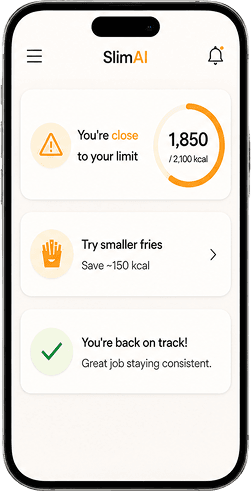



 featureVoice Calorie Tracker
SlimAI Voice Calorie Tracker (Voice to Log) for Faster Food Logging
Speak your meal, review the entry, and keep food tracking moving when typing slows you down.
Food logging breaks when the fastest thing you remember becomes the slowest thing to enter.
SlimAI Calorie Tracker's Voice Calorie Tracker (Voice to Log) lets you speak meal details, review calories and macros, adjust the entry, and save the meal into your daily tracking routine.
Eat smarter, not stricter. Track food in seconds.
Last updated

3-day free trial · Cancel anytime · No card charged during trial
Voice Input Examples for SlimAI Calorie Tracker
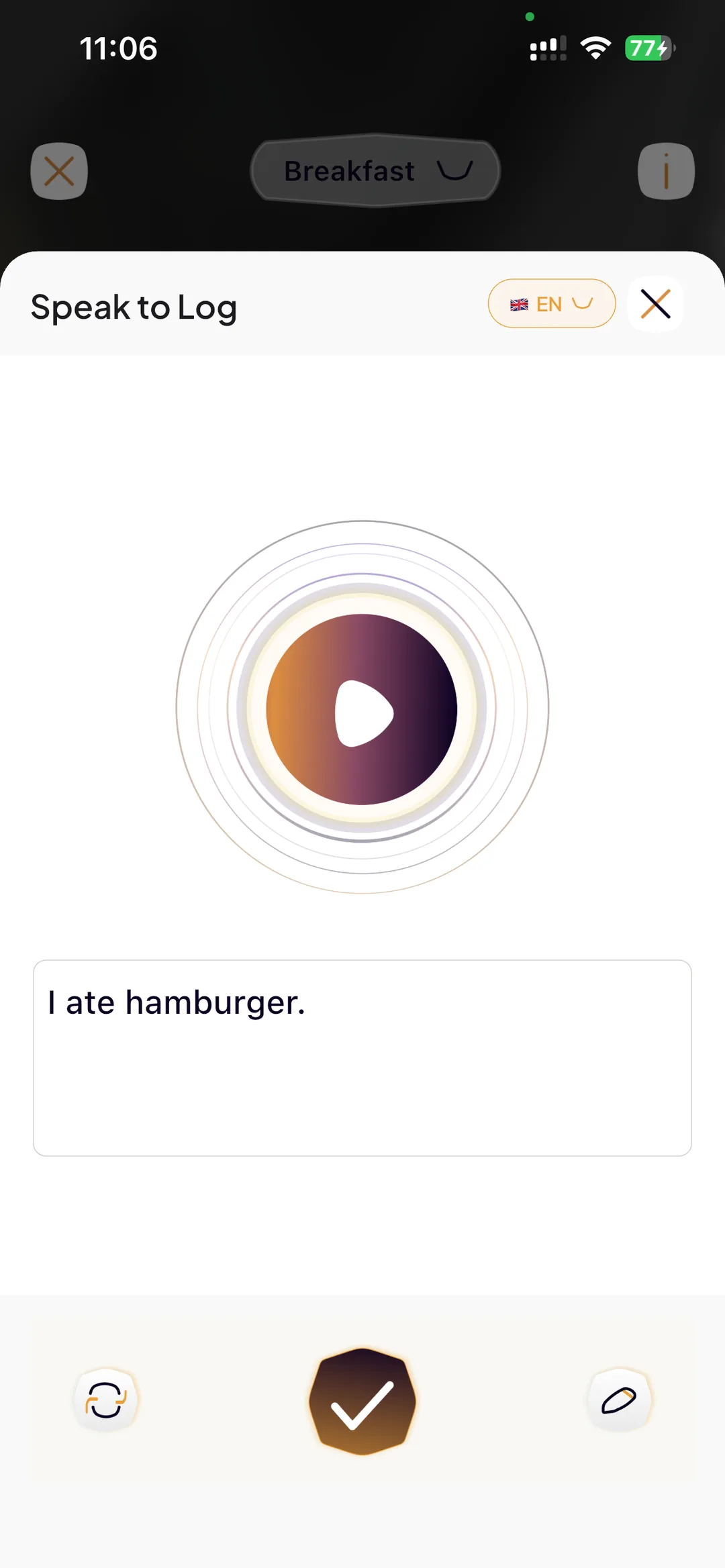
Voice Calorie Tracker (Voice to Log) works with normal meal descriptions. You do not need technical nutrition language to start a food log.
You can say: "I ate two eggs, one slice of toast, and coffee." You can say: "I had chicken biryani and raita for lunch." You can say: "I drank one mango shake after workout."
SlimAI Calorie Tracker uses your spoken meal as the starting point. You still review calories, macros, serving size, and ingredients before saving the entry.
Why Typing Every Meal Slows Food Logging Down
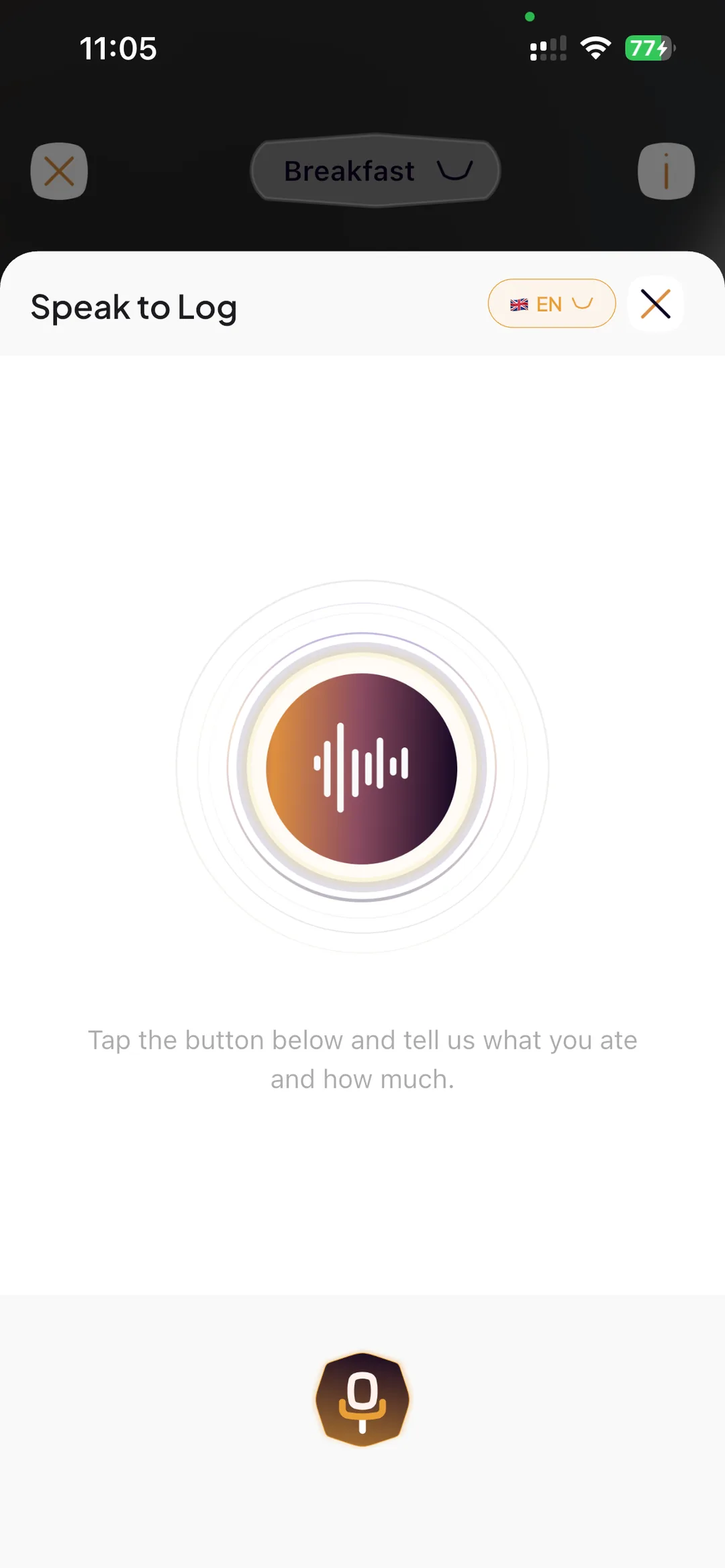
Typing food works when you have time. It slows you down when you are cooking, working, walking, or logging after a meal.
You may remember what you ate clearly, but manual entry can turn one simple meal into several steps.
A voice food logging app should help you capture the meal faster, then let you review the result before saving it.
Ready to try Voice Calorie Tracker?
Snap a photo and SlimAI does the rest — 10K+ downloads on iOS and Android.
3-day free trial · Cancel anytime · No card charged during trial
How SlimAI Calorie Tracker's Voice Calorie Tracker (Voice to Log) Works
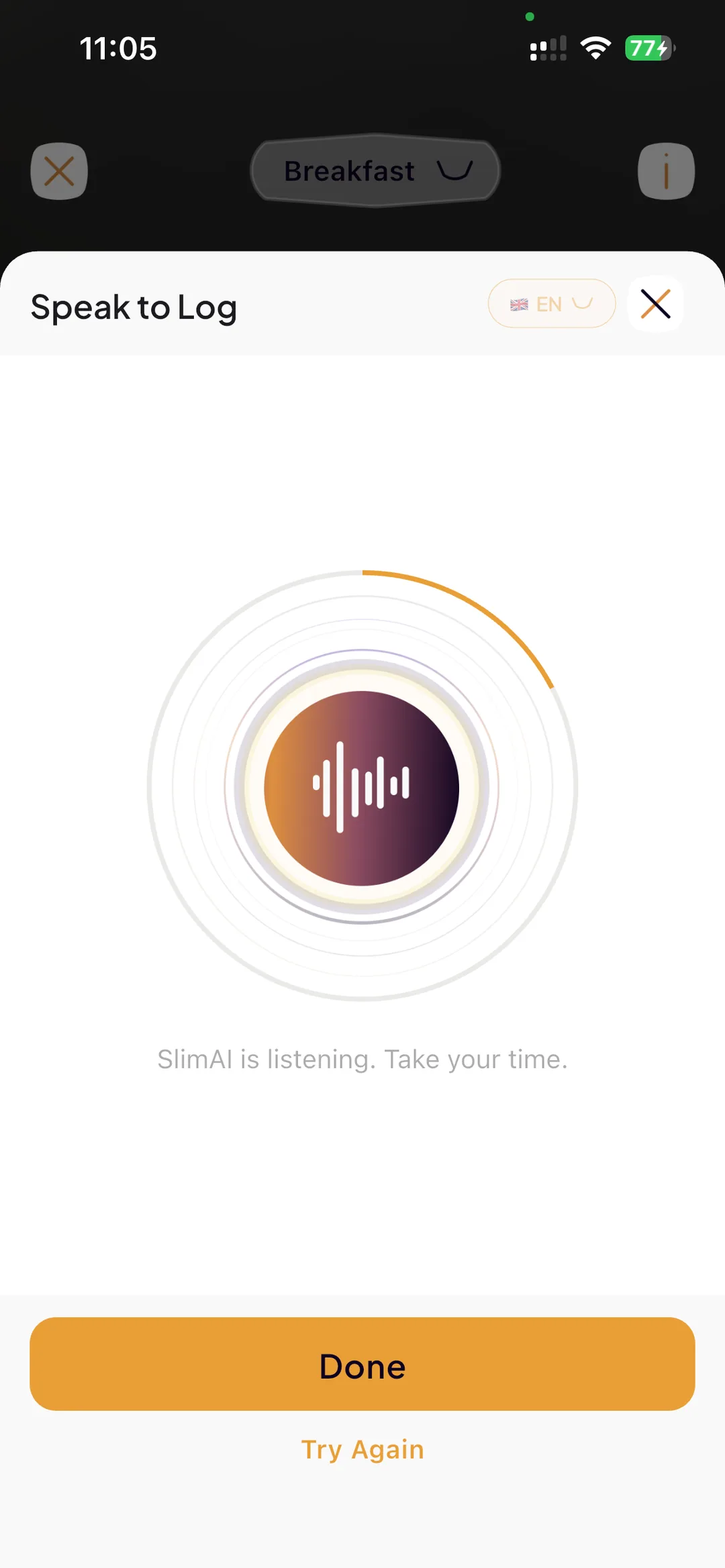
SlimAI Calorie Tracker's Voice Calorie Tracker (Voice to Log) helps you start a food log by speaking instead of typing first. It follows one clear flow: speak, review, adjust, and save.
You start by saying what you ate in simple language. SlimAI turns that voice input into a food entry and shows calorie-related information for review.
After the entry appears, you can use Serving Size Guidance to adjust portions and Ingredient Editing to correct foods or ingredients. Once the entry matches your meal more closely, you save it into your calorie, macro, and progress history.
This keeps speed and control together. Voice to Log helps you move fast, but SlimAI still gives you the review layer that makes the entry useful.
Why Use a Voice Calorie Tracker for Faster Food Logging
Voice to Log is built for the moments when speed matters and typing gets in the way.
Faster meal entry when typing gets in the way
Voice to Log helps you start a food log by speaking, so you do not have to search and type every detail first.
Clearer tracking during busy routines
You can use Voice to Log while cooking, multitasking, walking, or logging a meal from memory after eating.
More control before saving
Serving Size Guidance and Ingredient Editing help you review portions, foods, and ingredients before the voice-logged meal becomes part of your history.
Macro context from spoken meals
Macro Tracker helps you review protein, carbohydrates, fats, and calories after voice logging, making SlimAI useful as a voice macro tracker.
Review and Edit Voice-Logged Meals
Voice logging should make the first step faster without removing your control.
SlimAI Calorie Tracker lets you review voice-logged meals before saving. If the entry needs correction, Serving Size Guidance helps you adjust portions, and Ingredient Editing lets you add or remove foods or ingredients.
This matters because spoken entries can miss quantities, serving details, or ingredients. SlimAI gives you a correction step before the meal becomes part of your daily tracking.
How SlimAI Calorie Tracker Makes Voice Logging Different
Most food logs start with manual work: search, type, select, adjust, and repeat. SlimAI Calorie Tracker lets Voice to Log start the entry faster, then connects that entry with calories, macros, serving review, ingredient correction, and progress.
Voice Calorie Tracker (Voice to Log) also sits inside Flexible Food Logging. You can use Type to Add, Camera Scan, Gallery Upload, Barcode Scanner, Food Database Search, Recent Foods, Saved Foods, Diet Plan Logging, Meal Suggestions, or Back-Date Logging when another method fits better.
This makes SlimAI different from a single-method calorie tracker with voice. Your routine does not have to depend on one logging style.
More From SlimAI Calorie Tracker
Voice to Log works best alongside the rest of the SlimAI Calorie Tracker system.
Flexible Food Logging
Shows how Voice Calorie Tracker (Voice to Log) fits with Type to Add, Camera Scan, Gallery Upload, Food Database Search, Recent Foods, Saved Foods, Diet Plan Logging, Meal Suggestions, and Back-Date Logging.
Macro Tracker
Helps you review protein, carbohydrates, and fats after a voice-logged meal, so the entry does not stop at calories.
Serving Size Guidance
Helps you adjust portions when a voice-logged meal needs a closer match to what you actually ate.
Progress, Streaks & Back-Date Logging
Helps connect voice-logged meals with history, graphs, streaks, and missed entries.
 FAQ
FAQ
Still Wondering About SlimAI
 Can I log food by voice?
Can I log food by voice?Yes. SlimAI Calorie Tracker's Voice Calorie Tracker (Voice to Log) lets you speak meal details instead of typing them first. You can say what you ate, review the food entry, check calorie-related information, and adjust the meal before saving it.
Is voice logging faster than manual logging?
Is voice logging faster than manual logging?Voice logging can be faster when typing or searching slows you down. SlimAI Calorie Tracker lets you start a meal entry by speaking, then review calories, macros, serving size, and ingredients. Type to Add is still available when you want manual control.
Can I edit voice-logged meals?
Can I edit voice-logged meals?Yes. SlimAI Calorie Tracker lets you review and edit meals added through Voice to Log. Serving Size Guidance helps you adjust portions, while Ingredient Editing lets you add or remove foods or ingredients when the voice entry does not fully match what you ate.
Does voice logging track macros?
Does voice logging track macros?Yes. Voice-logged meals can connect with Macro Tracker in SlimAI Calorie Tracker. After you speak a meal entry, you can review protein, carbohydrates, fats, and calories together. This makes SlimAI useful as a voice macro tracker for daily food awareness.
Who is voice logging best for?
Who is voice logging best for?Voice logging is useful for users who want faster meal entry when typing feels inconvenient. It can help when you are cooking, multitasking, repeating a meal from memory, or logging after eating. SlimAI Calorie Tracker still lets you review and correct the entry.
Can SlimAI Calorie Tracker work as a calorie tracker with voice?
Can SlimAI Calorie Tracker work as a calorie tracker with voice?Yes. SlimAI Calorie Tracker works as a calorie tracker with voice through Voice Calorie Tracker (Voice to Log). You can speak meal details, review the generated entry, adjust servings or ingredients, and save the meal into your calorie, macro, and progress history.
Start logging smarter with AI Meal Logging.
Log any meal, any way. Get instant calories and macros. Build the habit that sticks.
Free 3-day trial, then $7.99/month or $29.99/year. Cancel anytime.
- 50K+ food items in the food database
- 10K+ downloads on iOS and Android
- 7 languages
- 4.5★ App Store · 4.8★ Google Play (as of September 3, 2026)