


 featureMacro Tracker
SlimAI Macro Tracker for Protein, Carbs, and Fat
See calories and macros together across meals, recipes, daily totals, Progress, Weight, and weekly Insights.
Calories show the total. Macros show the structure behind that total.
SlimAI Calorie Tracker's Macro Tracker is a calorie and macro tracker feature that shows protein, carbohydrates, fats, and calories across logged meals, recipe details, the calorie dashboard, Progress, Weight, and Insights.
Macro Tracker connects food logging, recipe choices, daily macro totals, weekly macro patterns, and progress review, so you can understand your meals without obsessing over every number. Eat smarter, not stricter.
Last updated

3-day free trial · Cancel anytime · No card charged during trial
What Are Macros?
Macros are the nutrients your body uses in larger amounts: protein, carbohydrates, and fats.
Protein helps support muscle and fullness. Carbs provide energy. Fats support hormones and overall nutrition. Calories still matter for weight management, but macros explain what sits behind the calorie number.
Calories tell you how much energy you logged. They do not show whether that energy came mostly from protein, carbohydrates, or fats. That context matters when you compare recipes, follow a calorie goal, review daily totals, or look back at weekly food patterns.
Macro Tracker gives calorie tracking more depth without turning food into a strict numbers routine.
How SlimAI Calorie Tracker's Macro Tracker Works
SlimAI Calorie Tracker's Macro Tracker keeps protein, carbohydrates, fats, and calories connected across the places where you make food decisions: the calorie dashboard, your calorie goal, recipe details, meal logs, Progress, Weight, and Insights.
Calorie dashboard macro totals
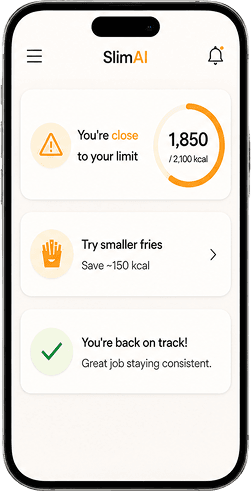
The calorie dashboard shows your total macro intake beside your daily calorie goal. You can review your total protein, carbohydrates, and fats for the day, giving you a clearer view instead of seeing calories as one isolated number.
Custom Calorie Goals and macro direction
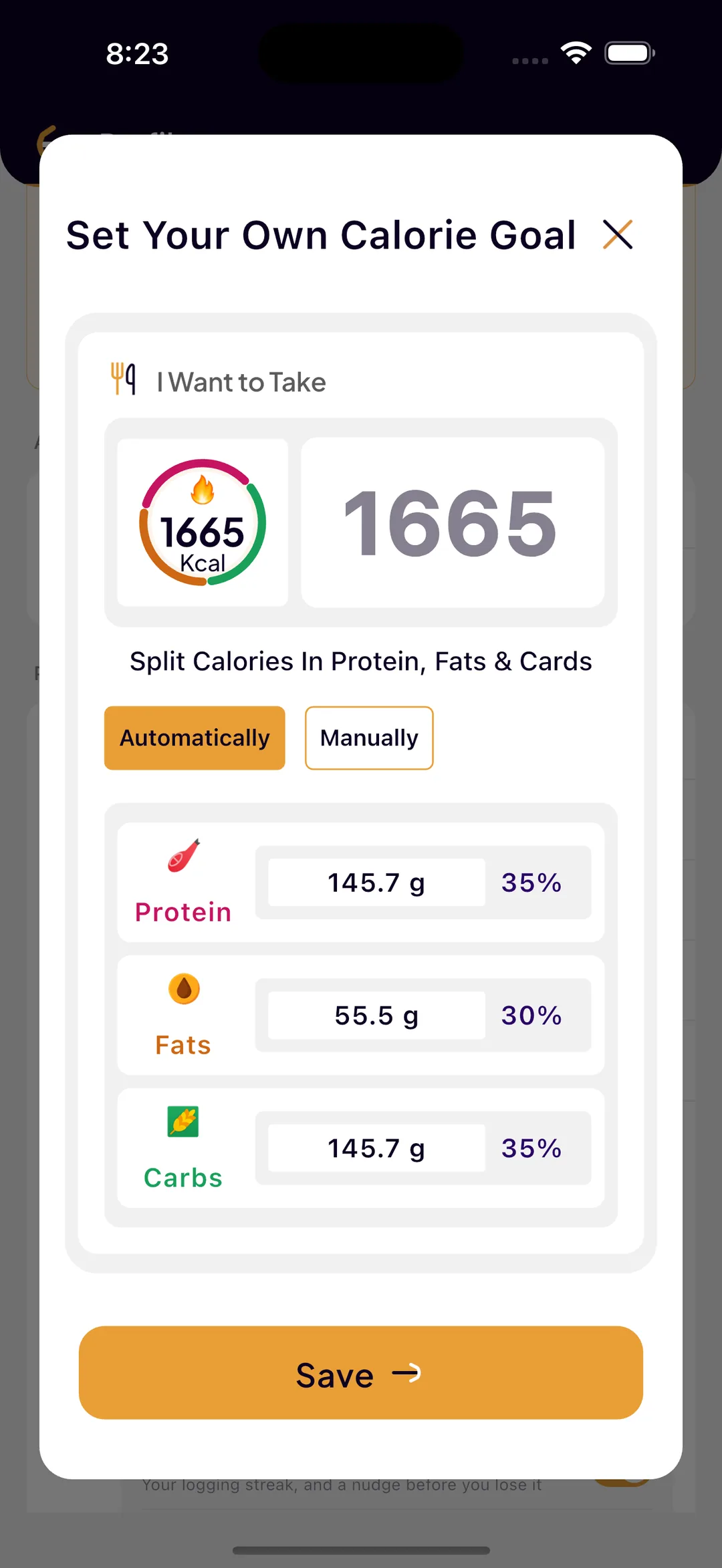
During onboarding (Fast Setup, Personalized Tracking), SlimAI uses your current weight, weight goals, lifestyle inputs, food preferences, and selected health-related context to shape your calorie direction. With Custom Calorie Goals, protein, carbohydrates, and fats sit inside the goal you follow, so macro tracking has context from the start.
Recipe macro breakdown
When you search for or open a recipe inside Diet Plans, Recipes & Regional Foods, SlimAI shows the macro details for that recipe. You can review protein, carbohydrates, fats, and calories before choosing a breakfast, lunch, dinner, or snack option.
Meal-level macro breakdown
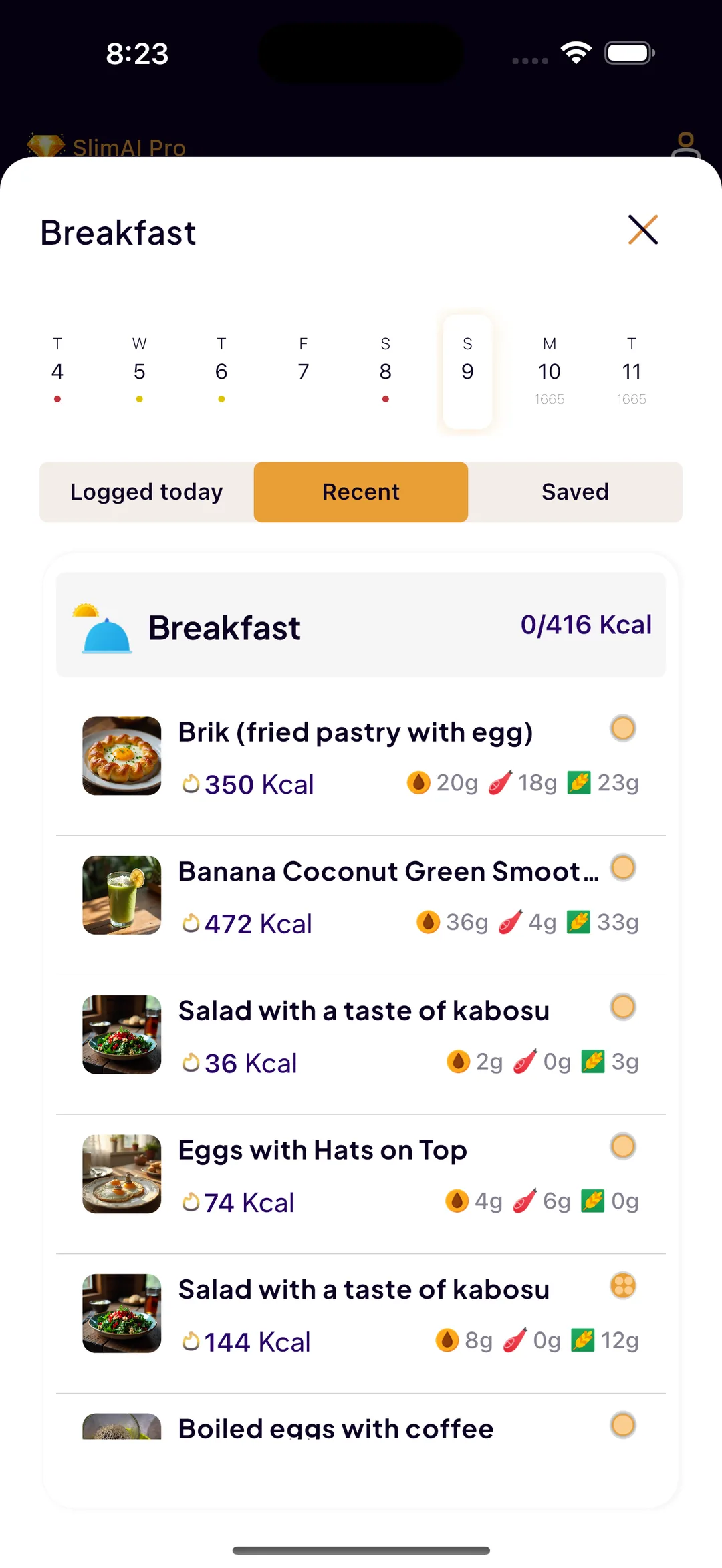
When you log food through Type to Add, Voice to Log, Camera Scan, Gallery Upload, Food Database Search, Recent Foods, Saved Foods, Diet Plan Logging, Meal Suggestions, or Back-Date Logging, SlimAI shows the macro breakdown for that meal, so each logged meal can show calories with protein, carbohydrates, and fats.
Progress and Insights macro view
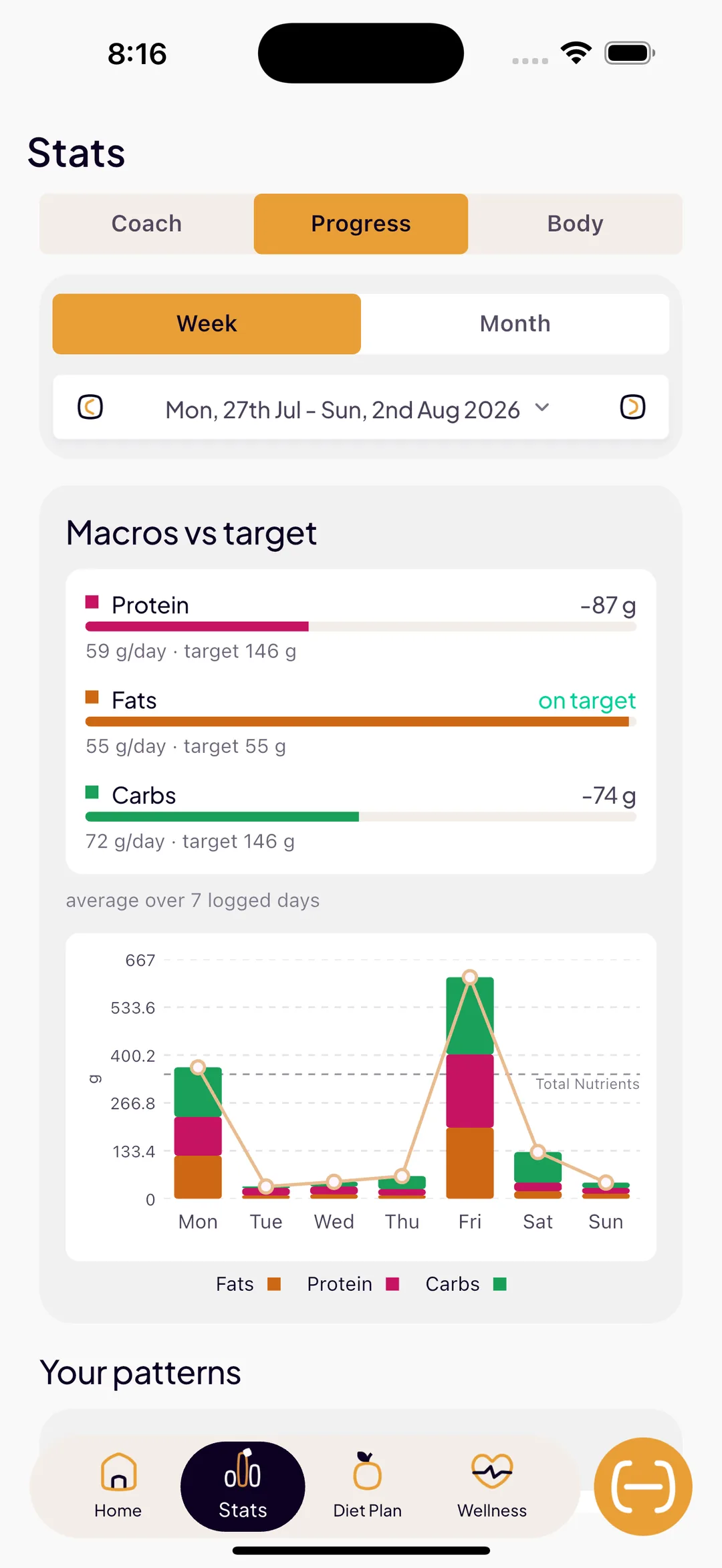
In Progress, SlimAI shows calorie goal breakdown with total macros. In Insights, SlimAI shows a weekly macro graph from Monday to Sunday, with fats highlighted in orange, protein in pink, and carbs in green, plus progress visibility up to the last month so you can review macro patterns over time instead of judging one day alone.
Weight and progress context
The Weight section lets you review weight updates alongside your food and progress routine, so macros, calories, Weight, Progress, and Insights stay part of one tracking flow.
Ready to try Macro Tracker?
Snap a photo and SlimAI does the rest — 10K+ downloads on iOS and Android.
3-day free trial · Cancel anytime · No card charged during trial
Why Use Macro Tracker
Macro Tracker adds context to every calorie you log, so each meal tells you more than one number.
Understand the calorie total
Macro Tracker shows protein, carbohydrates, fats, and calories together, so each meal has context beyond one number.
Review daily macro totals
SlimAI shows total protein, carbohydrates, and fats on the calorie dashboard against your daily calorie goal.
Choose recipes with more clarity
Diet Plans, Recipes & Regional Foods shows macro details when you open a recipe, so meal decisions start with better information.
Spot weekly macro patterns
Insights shows a Monday-to-Sunday macro graph, so you can see how fats, protein, and carbs changed across the week.
Macro Tracker for Food Decisions
Macro Tracker is built for the moments where calorie tracking needs context before the next decision.
Macro Tracker supports weight goals, fitness routines, recipe decisions, and daily food awareness without turning macros into strict rules.
When you log a meal
SlimAI shows the macro breakdown behind that entry, so you can see whether the meal leaned toward protein, carbohydrates, or fats before it becomes part of your history.
When you open a recipe
SlimAI shows macro details inside Diet Plans, Recipes & Regional Foods, so you can compare breakfast, lunch, dinner, or snack options before adding a meal to your day.
When you check the calorie dashboard
SlimAI turns logged meals into daily macro awareness, so you can review total protein, carbohydrates, and fats against your calorie goal without calculating the day yourself.
When you review Progress, Weight, and Insights
SlimAI connects macros with longer-term patterns, so you can check calorie goal breakdown, weight updates, weekly macro division, and progress visibility up to the last month.
Macro Tracking Across Every Meal Entry
Macro Tracker stays connected to the way you add food in SlimAI.
You can use Type to Add, Voice to Log, Camera Scan, Gallery Upload, Food Database Search, Recent Foods, Saved Foods, Diet Plan Logging, Meal Suggestions, or Back-Date Logging.
After the meal is added, SlimAI keeps macro details connected to the entry, calorie dashboard, Progress, Weight, and Insights.
Macro tracking does not depend on one perfect logging method. It stays visible across the ways users actually add food.
What Makes SlimAI's Macro Tracker Different
Many calorie trackers stop after showing one total. SlimAI Calorie Tracker shows the total and the structure behind it.
Macro Tracker connects meal-level macros, recipe macros, calorie dashboard totals, Progress, Weight, and Insights. This gives you macro context where food decisions actually happen.
SlimAI does not separate macros from the rest of your routine. Macro Tracker stays connected to food logging, recipe choices, calorie goals, progress review, and weekly insight patterns.
More From SlimAI Calorie Tracker
Macro Tracker is one part of a connected tracking routine inside SlimAI Calorie Tracker.
Flexible Food Logging
Helps you add meals through Type to Add, Voice to Log, Camera Scan, Gallery Upload, Food Database Search, Recent Foods, Saved Foods, Diet Plan Logging, Meal Suggestions, and Back-Date Logging before reviewing macros.
Diet Plans, Recipes & Regional Foods
Helps you view recipe ideas and check macro details before choosing a meal.
Food Health Score
Adds food quality context when you want more than protein, carbohydrates, fats, and calories.
Progress, Streaks & Back-Date Logging
Connects macro-aware meals with history, streaks, graphs, missed logs, and progress visibility up to the last month.
 FAQ
FAQ
Still Wondering About SlimAI
 What are macros?
What are macros?Macros are protein, carbohydrates, and fats. Protein helps support muscle and fullness, carbs provide energy, and fats support hormones and overall nutrition. Calories still matter for weight management, but macros explain what your meal contains. Use Macro Tracker when you want more context than calories alone.
Does SlimAI track protein, carbs, and fat?
Does SlimAI track protein, carbs, and fat?Yes. SlimAI Calorie Tracker's Macro Tracker shows protein, carbohydrates, fats, and calories for logged meals, scanned foods, typed entries, and recipe-based meals. SlimAI also shows total macros on the calorie dashboard, so you can review your daily intake with more context.
Where can I see macros in SlimAI Calorie Tracker?
Where can I see macros in SlimAI Calorie Tracker?You can see macros in logged meals, recipe details, the calorie dashboard, Progress, and Insights. SlimAI Calorie Tracker shows meal-level macro breakdowns, daily macro totals, and weekly macro graphs, so macro awareness stays connected to your food and progress routine.
Is macro tracking useful for weight loss?
Is macro tracking useful for weight loss?Macro tracking can support weight loss awareness because it helps you understand what makes up your calorie intake. SlimAI Calorie Tracker shows calories and macros together, so you can review food balance without treating every macro number as a strict rule.
Is macro tracking useful for users following fitness routines?
Is macro tracking useful for users following fitness routines?Yes. Macro Tracker can help users following fitness routines review protein, carbohydrates, fats, and calories alongside workout and progress context. SlimAI Calorie Tracker also shows weekly macro patterns in Insights, so fitness-focused users can review macro trends across the week.
Can I track calories without tracking macros?
Can I track calories without tracking macros?Yes. You can track calories without focusing heavily on macros. SlimAI Calorie Tracker lets you review calorie balance first, then use Macro Tracker when you want more detail about protein, carbohydrates, and fats. You do not need to obsess over exact macro numbers every day.
Start logging smarter with AI Meal Logging.
Log any meal, any way. Get instant calories and macros. Build the habit that sticks.
Free 3-day trial, then $7.99/month or $29.99/year. Cancel anytime.
- 50K+ food items in the food database
- 10K+ downloads on iOS and Android
- 7 languages
- 4.5★ App Store · 4.8★ Google Play (as of September 3, 2026)